Introduction
Video editing has become one of the most important parts of modern digital content creation. From professional filmmaking and wedding cinematography to YouTube videos, social media content, and commercial advertising, creators depend on powerful editing software to turn raw footage into engaging visual stories.
Among the most popular professional editing applications, Adobe Premiere Pro has maintained a strong position in the creative industry.
Now, Adobe is introducing Premiere Pro 27.0, its November 2026 desktop release, with a collection of new features designed to improve editing workflows, introduce more artificial intelligence capabilities, and give creators greater control over their projects.
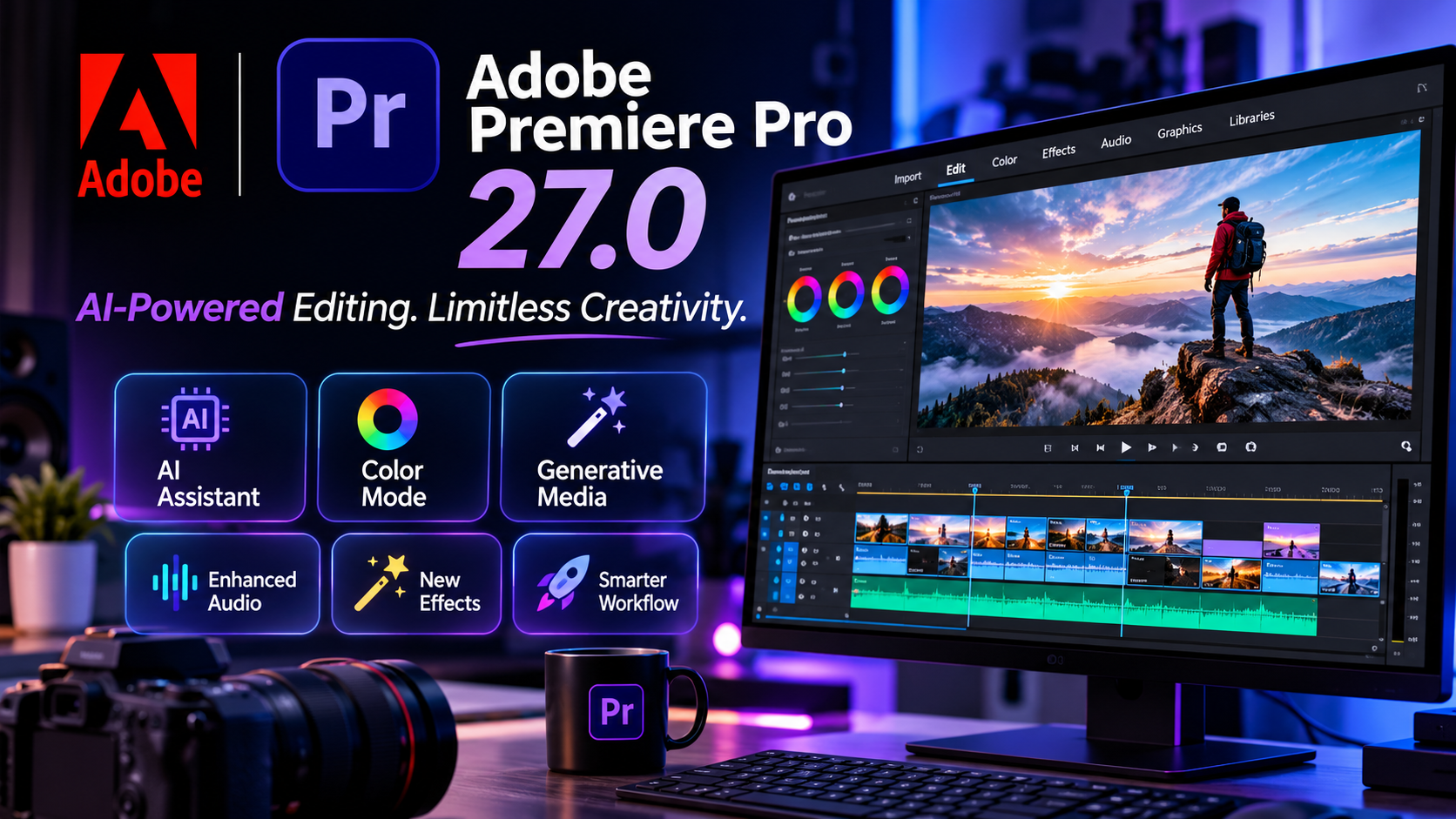
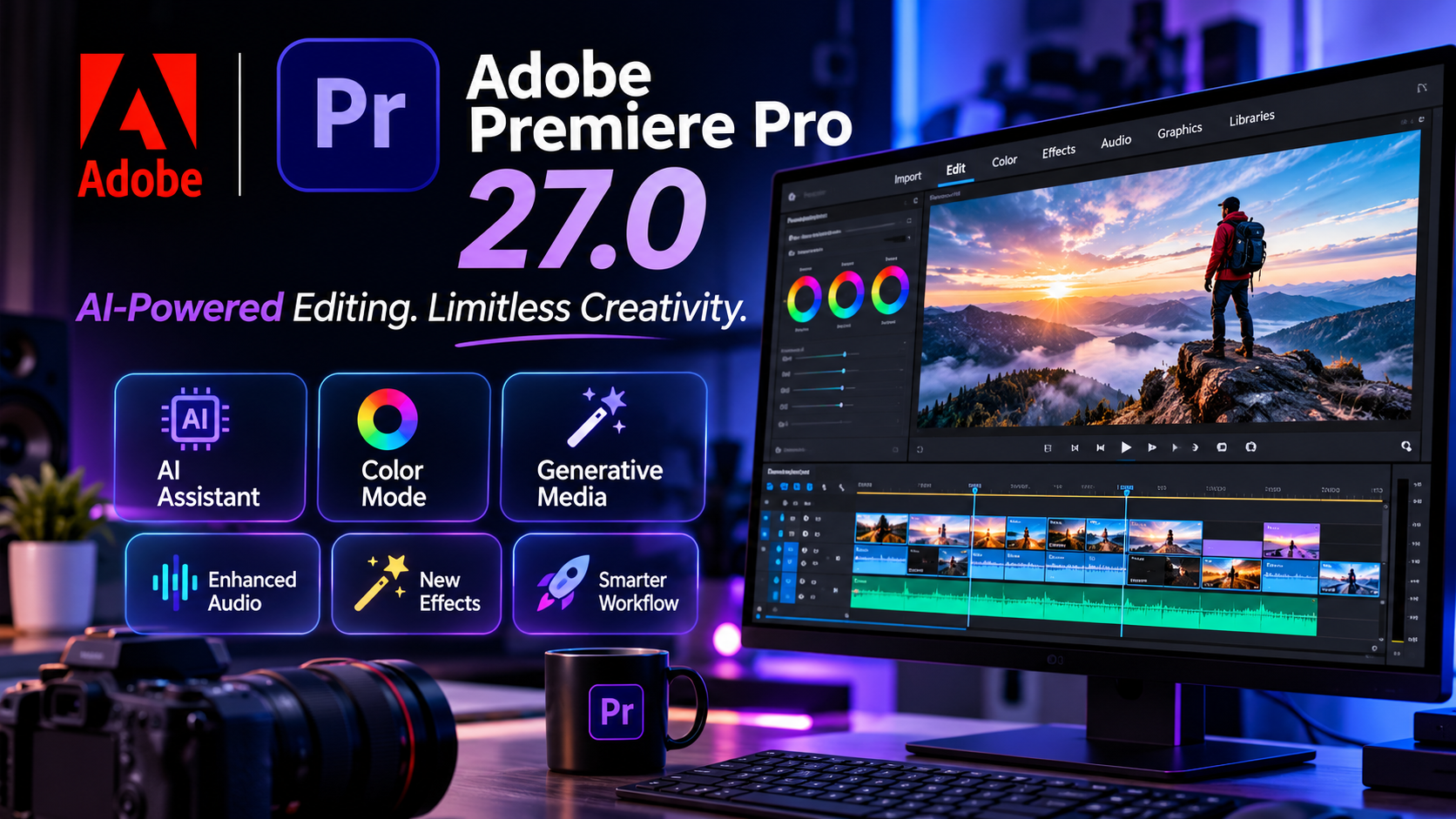
The latest release brings a new Color Mode workspace, an AI Assistant panel, and an expanded Generative Media Tool capable of creating images, music, and soundscapes directly inside the editing timeline.
But what exactly is new, and how will these improvements affect professional video editors and everyday content creators?
Let's explore the biggest changes in Adobe Premiere Pro 27.0.
1. Adobe Premiere Pro 27.0: A New Era of Video Editing
Adobe Premiere Pro is a professional non-linear video editing application developed by Adobe. It allows users to import footage, organize media, edit clips, add visual effects, adjust colors, improve audio, and export finished videos.
The software is widely used by filmmakers, production companies, YouTubers, wedding videographers, and digital marketing professionals.
The November 2026 release, version 27.0, focuses on making complex editing tasks easier while giving creators access to more advanced creative tools.
Rather than simply introducing visual changes, Adobe is improving the way editors interact with their projects.
The combination of artificial intelligence, improved color grading, and timeline-based media generation makes this release an important development for the video production industry.
2. New Color Mode: Advanced Color Grading Made Easier
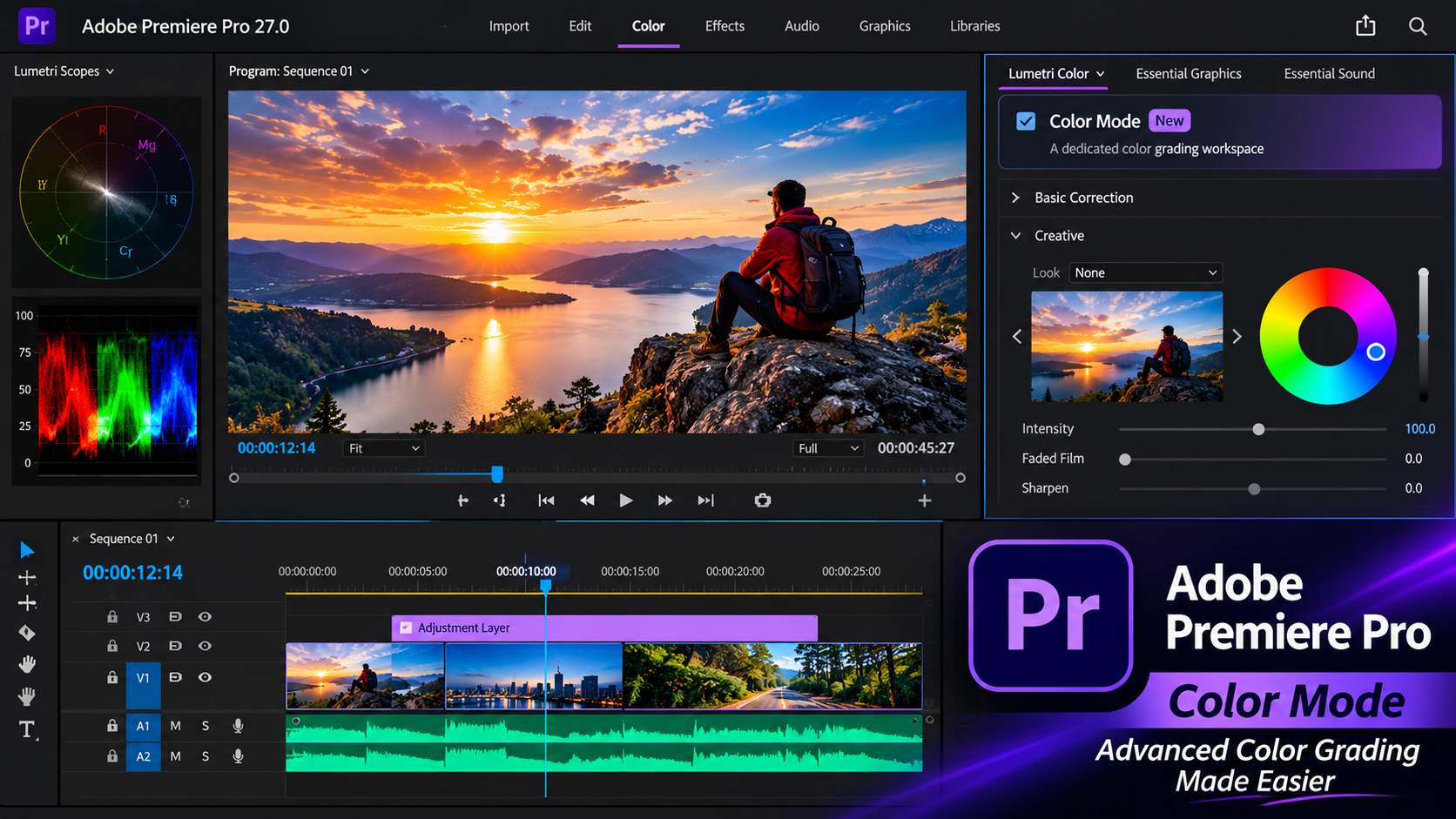
One of the most interesting additions in Premiere Pro 27.0 is the new Color Mode workspace.
Color grading plays a major role in professional video production. It helps establish the mood, atmosphere, and visual identity of a video.
For example, wedding filmmakers often use warm and cinematic colors to create romantic visuals, while commercial productions may use more controlled color styles to maintain brand consistency.
Adobe's new Color Mode introduces a dedicated color grading workspace directly inside Premiere Pro.
This means editors can move from editing to color grading without interrupting their workflow or constantly switching between different workspaces.
The new workspace is designed to make color adjustments more accessible while maintaining professional creative control.
For video creators, this could make the process of developing consistent cinematic looks more convenient.
3. AI Assistant: Artificial Intelligence Enters the Editing Workflow
Artificial intelligence continues to transform creative software, and Adobe is bringing more AI-powered assistance directly into Premiere Pro.
The new AI Assistant panel is designed to understand the Premiere project and help users complete complex or repetitive editing tasks.
Instead of manually navigating through multiple tools and panels for every operation, editors can use AI assistance to simplify certain workflows.
This is particularly interesting for creators working with large projects containing multiple video clips, audio tracks, effects, and sequences.
AI assistance could help reduce time spent on repetitive operations, allowing editors to concentrate more on storytelling, creativity, and the final visual result.
However, AI is not replacing the creative judgment of professional editors. The editor remains responsible for deciding how the final video should look and feel.
4. Generative Media Tool: Create Images, Music, and Soundscapes
Another major development in Premiere Pro 27.0 is the expanded Generative Media Tool.
Adobe is bringing more generative capabilities directly into the editing timeline.
The tool now supports generating:
-
Images from text prompts.
-
Original music.
-
Soundscapes and ambient audio.
-
Video-related creative media.
The generated content can be added directly to the editing sequence, allowing creators to continue refining their projects without constantly moving between different applications.
Imagine editing a travel video and needing atmospheric background sounds, or producing a promotional video that requires additional visual elements.
Instead of searching through multiple external resources, creators can use generative tools within Premiere Pro to develop additional media for their sequences.
This integration could make video production more flexible, especially for independent creators and small production teams.
5. Improved Audio Editing and Sound Enhancement
Good video production is not only about beautiful visuals. Audio quality is equally important.
A professionally edited video can lose much of its impact when dialogue is unclear, background noise is distracting, or sound effects are poorly balanced.
Adobe continues to improve its audio workflow in Premiere Pro 27.0.
Some of the important developments include:
Enhance Audio: Improved controls and an updated experience help users improve dialogue clarity and audio quality.
Separate Crosstalk: This AI-powered feature can detect and separate two overlapping speakers recorded on a single mixed audio track into individually routable timeline stems.
Auto Ducking: Audio levels can remain more balanced as editors add, trim, or mute clips, with keyframes updating automatically.
These improvements are particularly useful for interviews, documentaries, wedding films, podcasts, and commercial productions.
6. More Creative Effects and Better Object Masking
Visual effects are an important part of modern video editing.
Premiere Pro 27.0 introduces eight additional effects, including:
-
Bevel Alpha
-
Bevel & Emboss
-
Posterize
-
Radial Blur
-
Zoom Blur
These effects give editors more options for creating distinctive visual styles and enhancing their footage.
Adobe has also improved Object Masking, making it easier to identify and isolate subjects in video footage.
Object masking can be useful when editors want to apply effects to a specific person or object without affecting the entire image.
For example, a filmmaker might want to adjust the appearance of a subject while keeping the background unchanged.
Combined with HSL Masking, editors can target particular colors using hue, saturation, and luminance.
These tools provide more control over the final appearance of a video.
7. Better Timeline and Editing Workflow
Professional editing projects can become complicated, especially when working with long videos, multiple cameras, and large numbers of audio and video tracks.
Adobe has introduced improvements to make editing more organized and efficient.
The updated Properties panel displays video effects, audio effects, and masks as easier-to-read cards.
The Effects panel also includes thumbnail images and preview videos, making it easier to discover and preview available effects and transitions.
Another improvement is the redesigned clip speed and duration dialog, which includes audio stretching modes and pitch controls.
These changes are intended to reduce unnecessary navigation and make everyday editing operations more convenient.
8. What Does Adobe Premiere Pro 27.0 Mean for Content Creators?
The latest Premiere Pro release is not only relevant to Hollywood filmmakers or large production studios.
It also offers useful developments for independent creators and small businesses.
Wedding videographers
Improved color grading and audio tools can help wedding filmmakers create more polished videos and manage demanding editing projects.
YouTube creators
AI assistance and generative media tools can help simplify parts of the production process and provide additional creative resources.
Digital marketing professionals
Businesses and marketing teams can benefit from more flexible workflows when producing advertisements, promotional videos, and social media content.
Professional filmmakers
Expanded creative effects, improved masking, and advanced media workflows offer more options for detailed post-production work.
Overall, the new features focus on helping creators spend less time managing repetitive editing tasks and more time developing their creative ideas.
9. Is Adobe Premiere Pro 27.0 Worth Updating?
For editors interested in new AI capabilities, improved color grading, and more integrated creative tools, Premiere Pro 27.0 is an important update to explore.
The new Color Mode workspace and AI Assistant are particularly interesting additions.
However, upgrading is not simply about having the newest version.
Before updating, professional editors should consider their computer specifications, GPU compatibility, available storage, and the stability of their existing projects.
It is also a good idea to back up important projects before installing a major software update.
For creators who depend on Premiere Pro for daily client work, testing the new version with a separate project before moving all production work to it is a sensible approach.
10. The Future of Video Editing: AI and Human Creativity
The development of Adobe Premiere Pro reflects a larger transformation happening throughout the creative industry.
Artificial intelligence is becoming an increasingly important part of image editing, video production, sound design, and digital content creation.
Tools that once required complicated manual processes are becoming more accessible through automated assistance and generative technologies.
However, technology alone does not create a great film.
Storytelling, timing, composition, camera movement, lighting, and creative decision-making remain essential parts of professional video production.
The most successful creators will likely be those who understand how to combine powerful editing software with their own creative abilities.
Frequently Asked Questions (FAQs)
1. What is the latest Adobe Premiere Pro version in November 2026?
Adobe Premiere Pro 27.0 is the November 2026 desktop release.
2. What are the biggest new features in Premiere Pro 27.0?
The major additions include Color Mode, the AI Assistant panel, and an expanded Generative Media Tool for creating images, music, and soundscapes.
3. Can Adobe Premiere Pro generate music?
Yes. The November 2026 release includes a Generate Music feature that creates original music from text prompts directly on the Premiere timeline.
4. Does the new Premiere Pro have AI features?
Yes. It includes an AI Assistant and several AI-powered creative and audio tools.
5. Is Premiere Pro suitable for professional wedding video editing?
Yes. It provides professional editing, color grading, audio processing, masking, and visual effects tools that can be used in wedding film production.
6. Is Adobe Premiere Pro good for beginners?
Yes, beginners can learn Premiere Pro, although its professional interface and advanced features require practice.
Conclusion
Adobe Premiere Pro 27.0 represents another important step in the evolution of professional video editing.
With its new Color Mode workspace, AI Assistant, expanded Generative Media Tool, improved audio processing, and additional visual effects, Adobe is continuing to bring more creative possibilities into a single editing environment.
For professional filmmakers, wedding videographers, YouTubers, and digital marketing creators, these improvements offer new ways to approach video production.
The biggest development is not simply that Premiere Pro has more features. It is that artificial intelligence and creative tools are becoming more closely integrated into the editing process.
As video production continues to evolve, Adobe Premiere Pro remains an important platform to watch.
SiftedTech — Explore Technology. Discover What's Next.
Official Source: Adobe Premiere Pro 27.0 release notes and feature announcements.
Suggested tags: Adobe Premiere Pro, Adobe 2026, Video Editing, Artificial Intelligence, AI Video Editing, Adobe Creative Cloud, Video Production, Technology News.

The conversation (0)
Different perspectives make better conversations. Keep it thoughtful.
Be the first to share a perspective.