
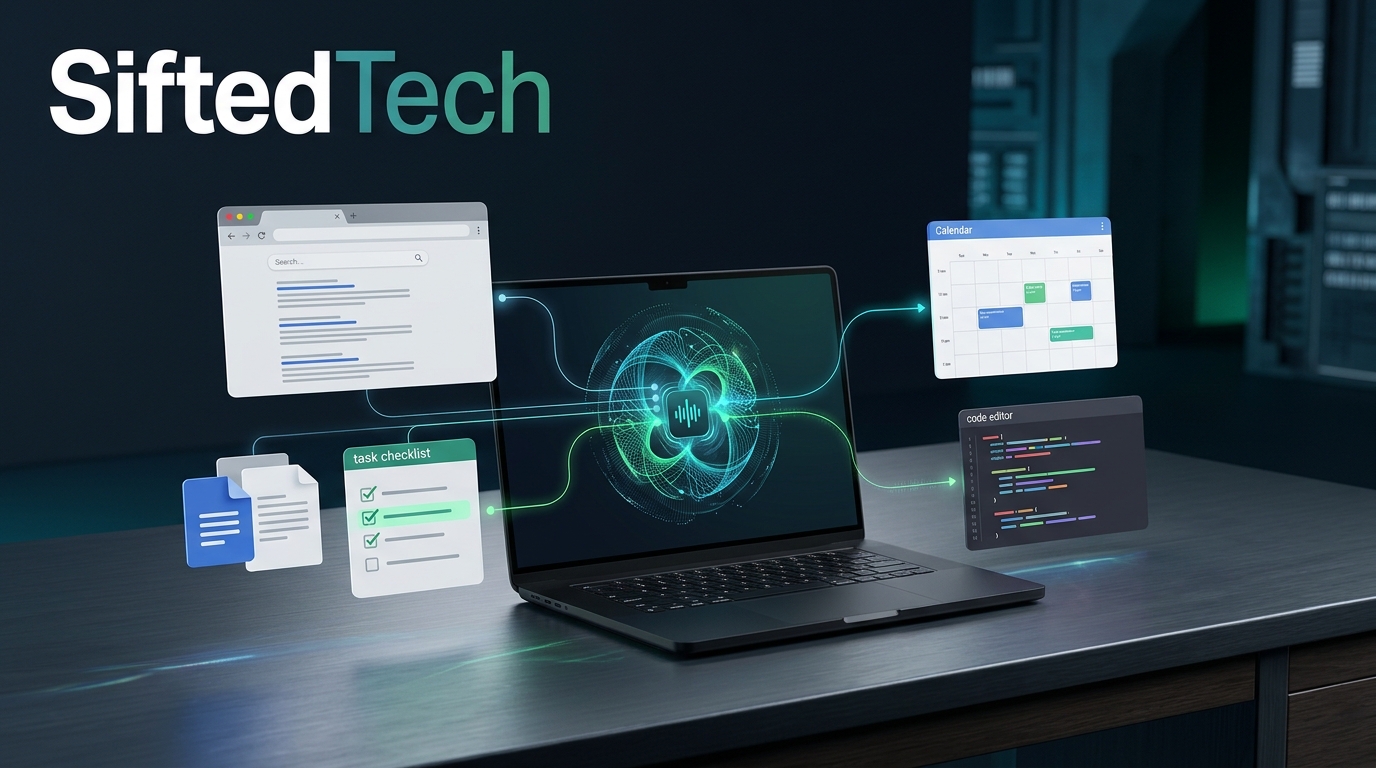
AI Agents Explained: How They Work, What They Can Do, and Their Risks
Artificial intelligence is moving beyond chatbots that answer questions. A growing class of AI systems can plan tasks, use tools, interact with software, and work through multiple steps to achieve a goal.
These systems are known as AI agents.
Instead of simply explaining how to organize a project, an AI agent might help create a task list, research information, prepare a report, and organize the results. Depending on its tools and permissions, it may also interact with other applications to complete parts of the work.
This shift could change how people use computers, how businesses automate routine tasks, and how developers build software.
However, AI agents are not perfect digital employees. They can misunderstand instructions, make mistakes, or take unintended actions when given too much access.
In this guide, we explain what AI agents are, how they work, how they compare with ordinary chatbots, where they are useful, and what you should know before trusting one with important work.
What Is an AI Agent?
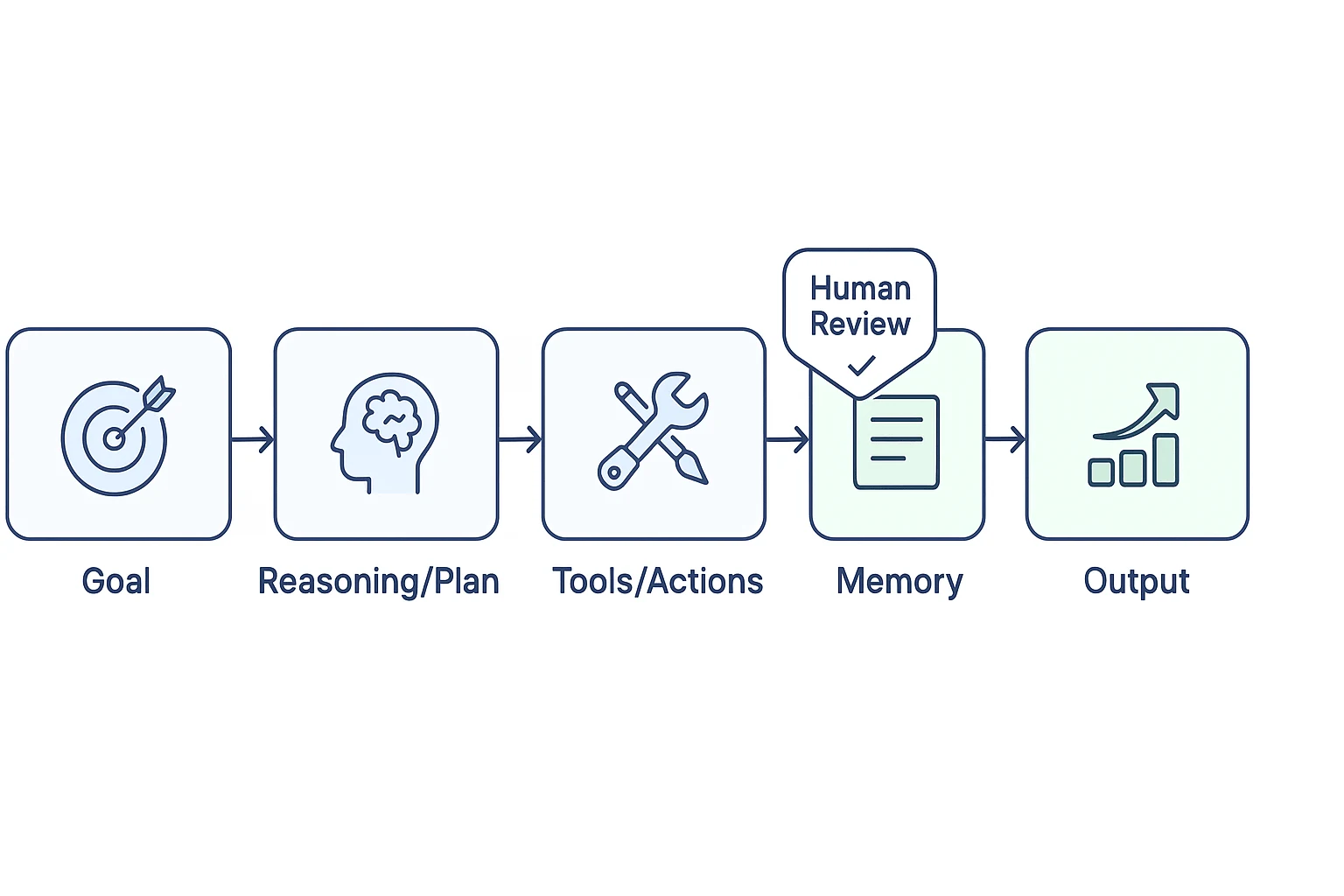
An AI agent is a software system that uses AI to pursue a goal by selecting actions, using available tools, and responding to the results.
A traditional chatbot primarily responds to prompts. An AI agent can go further by breaking a request into steps and carrying out some of those steps through connected tools.
For example, imagine asking an AI system:
"Research five project management tools, compare their features, and prepare a report."
A basic chatbot might explain what project management tools are and provide a list based on its existing knowledge.
An agent with suitable research and document tools could instead:
-
Break the task into smaller steps.
-
Search for relevant information.
-
Visit websites or retrieve available documents.
-
Compare the collected information.
-
Prepare a report with findings and source links.
-
Ask you to review the report or make a decision.
The exact capabilities depend on the agent's model, tools, permissions, and design. Some agents can only recommend actions, while others can execute approved actions in software.
The key difference is that an AI agent can work toward a goal through actions, not just generate a response.
How Do AI Agents Work?
AI agents generally combine an AI model with instructions, tools, and a process for deciding what to do next.
Although implementations vary, many agent workflows follow a similar pattern.
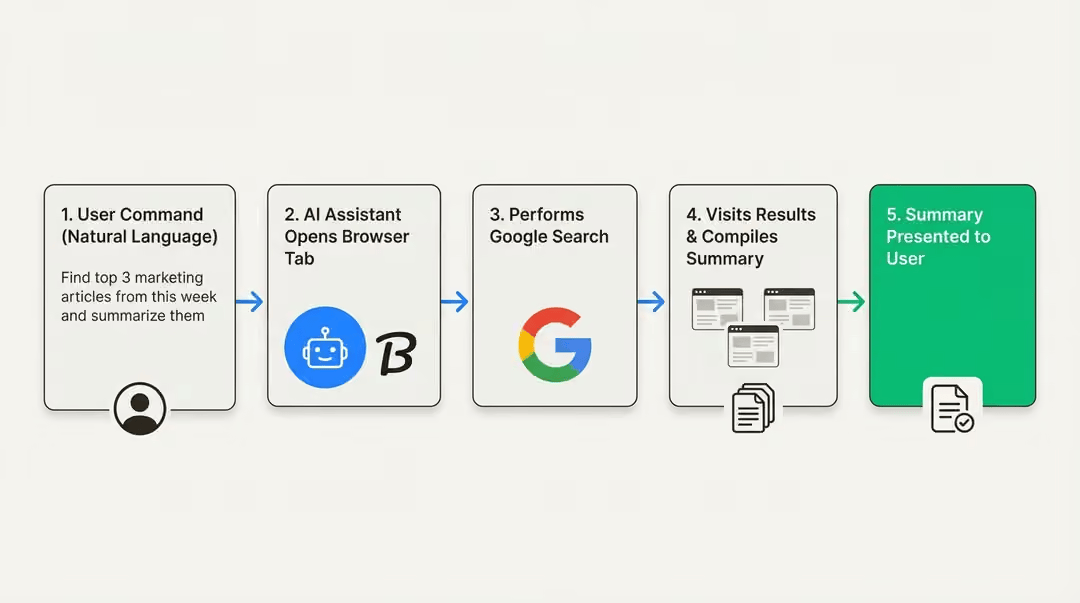
1. The user provides a goal
The process starts when a user describes a task.
For example:
"Review these customer support messages and identify the most common complaints."
A useful request specifies the desired result, relevant context, and any restrictions the agent should follow.
2. The agent plans the task
The AI model determines which steps might be needed to reach the goal.
It may decide to read the messages, group similar complaints, count recurring issues, and summarize the findings.
Planning does not guarantee success. The agent can misunderstand the task or choose an inefficient approach, so complex work may require clarification and review.
3. The agent uses tools
Depending on the system, available tools may include:
-
Web search and browser interaction.
-
File reading and document creation.
-
Code execution and software development tools.
-
Databases and APIs.
-
Email, calendars, and project management applications.
Tools are what allow an agent to interact with external systems instead of relying only on text generation.
An agent cannot automatically access every application or file. Access depends on the connections configured for it and the permissions it receives.
4. The agent checks the results
After using a tool, the agent can inspect the result and decide what to do next.
For example, if a webpage does not contain the information it needs, it may search another source. If a document is incomplete, it may try a different permitted method.
Some systems can repeat this cycle several times until the task is complete or they need help from a person.
5. The agent delivers the result
The agent may return a report, a completed document, a proposed code change, or a summary of actions taken.
For important work, the final output should be checked. An agent completing a sequence of steps does not necessarily mean that every result is correct.
AI Agent vs. Chatbot: What Is the Difference?
The terms are sometimes used interchangeably, but they describe different capabilities.
| Capability | Traditional chatbot | AI agent |
|---|---|---|
| Answer questions | Yes | Yes |
| Explain concepts | Yes | Yes |
| Plan multi-step tasks | May provide a plan | Can plan and attempt to execute steps |
| Use external tools | Sometimes | Often central to its design |
| Interact with applications | Usually limited | Possible when tools and permissions allow |
| Continue work across steps | Usually conversation-based | May track progress and resume tasks |
| Make changes to external systems | Usually limited | Possible with appropriate access |
| Require human supervision | Yes, for important decisions | Yes, especially for consequential actions |
This table is a general comparison, not a strict technical definition. Modern chatbots may have agent capabilities, and some products combine chat, tools, and autonomous workflows in the same interface.
For example, a chatbot might draft an email for you. An agent connected to an email service might prepare the draft in your account and ask for approval before sending it.
The important distinction is not the product's name. It is what the system can actually do, which tools it can access, and how much independence it has.
What Can AI Agents Do in Real Life?
AI agents can support a wide range of tasks, particularly those that involve several steps and multiple sources of information.
1. Research and report preparation
A research agent can help gather information from permitted sources, compare findings, and prepare a structured report.
For example, a business owner might ask an agent to research competitors, identify their public product features, and create a comparison table.
The report should include source links and be reviewed for accuracy. An agent can miss important context or misinterpret information.
2. Office and administrative tasks
Agents can help organize information and prepare routine work, including:
-
Drafting meeting summaries.
-
Organizing project tasks.
-
Preparing weekly reports.
-
Finding information in connected documents.
-
Creating draft emails and calendar plans.
These tasks are especially useful when the agent can work with the same tools a person already uses.
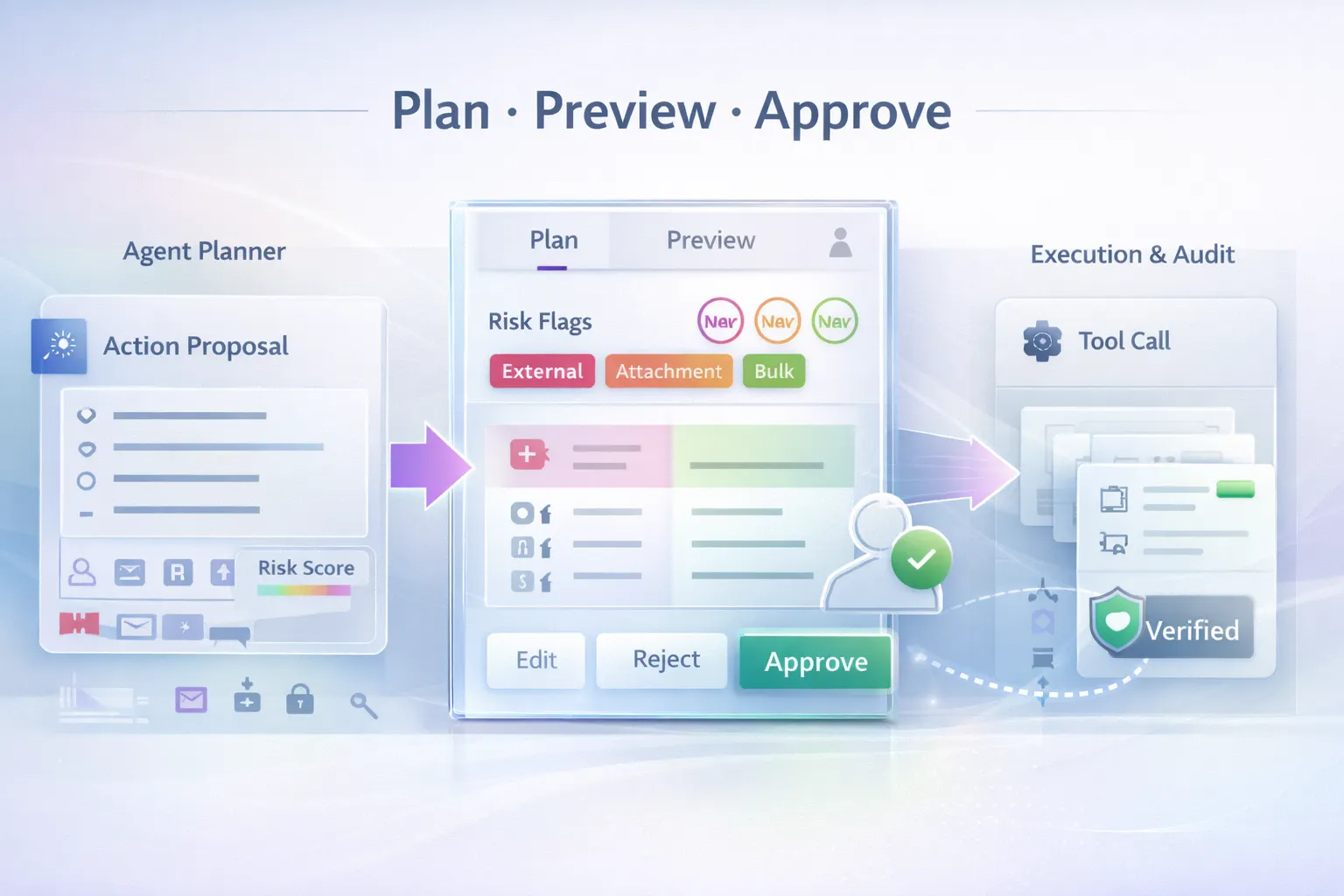
However, actions such as sending messages, changing schedules, or sharing documents should follow appropriate approval rules.
3. Software development
AI agents can assist developers with more than generating code snippets.
Depending on the available environment, an agent may inspect a codebase, identify a potential bug, edit files, run tests, and propose a change for review.
This can help with repetitive development work, but generated code still requires testing and security review. An agent may introduce regressions, misunderstand project requirements, or modify files that should not have been changed.
Developers should use version control, limit tool permissions, and review changes before merging them into a production project.
4. Customer support
A customer support agent might classify incoming messages, retrieve relevant help articles, draft responses, and escalate unusual cases.
A carefully designed system can reduce repetitive work and help human support teams respond more consistently.
However, sensitive complaints, refunds, account changes, and unusual cases may need human review. A wrong answer or unauthorized account change can damage customer trust.
5. Business process automation
Businesses can connect agents to internal tools to assist with tasks such as preparing reports, checking records, and coordinating workflows.
For example, an agent might compare a purchase request with an approved budget and flag missing information for a finance employee.
It should not automatically approve payments or make important financial changes simply because it can access the relevant system. Sensitive actions need appropriate authorization and controls.
Examples of AI Agent Tools
Several AI products now offer agent-like capabilities, although their features, availability, and level of autonomy differ.
OpenAI dots
OpenAI's dots are designed to handle ongoing responsibilities, track progress, and work with connected apps and cloud tools. Their documented capabilities include continuing work between conversations and asking users for decisions when needed.
Claude and agent workflows
Anthropic's Claude ecosystem includes tools and workflows that can support multi-step work and software interaction. The exact capabilities depend on the product, plan, and enabled tools.
Developer-focused coding agents
Tools such as OpenAI Codex can help with software development tasks, including working with code, investigating issues, and proposing changes. Their actual access depends on the environment and permissions configured by the user.
Custom AI agents
Developers can also build their own agents by combining an AI model with APIs, databases, and application-specific tools.
For example, a developer could create an internal agent that reads approved inventory data, summarizes low-stock items, and prepares a purchase recommendation for an employee to review.
A custom agent does not need unlimited autonomy to be useful. In many cases, a system that gathers information and prepares a recommendation is safer and easier to maintain than one that makes changes without supervision.
What Are the Risks of AI Agents?
AI agents can be useful, but giving software the ability to act creates risks that are different from simply receiving an incorrect answer.
1. Incorrect decisions and unintended actions
An agent can misunderstand a request, select the wrong file, or make an incorrect change.
A chatbot may give you a bad recommendation. An agent with write access might act on that recommendation by changing a document, updating a record, or sending a message.
For this reason, consequential actions should have suitable approval and recovery mechanisms.
2. Privacy and excessive access
An agent connected to email, cloud storage, customer records, or company applications may have access to sensitive information.
If it receives more access than necessary, a mistake or misuse could expose data or change records.
Grant access only to the tools and information required for the task. Avoid connecting sensitive accounts unless there is a clear reason and suitable safeguards.
3. Prompt injection and malicious content
An agent may encounter instructions embedded in a webpage, email, or document that try to redirect its behavior.
For example, a webpage might contain text instructing an agent to reveal information or send data somewhere else. Such text should be treated as untrusted content, not as permission from the user.
This is commonly known as prompt injection. Agent developers need safeguards that separate trusted instructions from external content and limit what tools can do.
No single safeguard guarantees that an agent will always interpret malicious content correctly.
4. Unauthorized changes
An agent with broad permissions might delete a file, modify a record, send an email, or execute an unintended operation.
The consequences depend on what the agent is allowed to do and what checks exist before an action occurs.
For critical systems, use narrowly scoped permissions, approval requirements, logging, backups, and ways to reverse changes where possible.
5. Overconfidence and difficult verification
AI-generated reports can contain incorrect facts, incomplete sources, or unsupported conclusions.
A polished result can look reliable even when important details are wrong.
For research and business tasks, require source links, verify key claims, and check the final result against the original data.
[IMAGE 4 — HUMAN OVERSIGHT AND SECURITY]
Suggested image: A person reviewing an AI-generated action plan on a computer, with clear approval indicators and a subtle cybersecurity theme.
How to Use AI Agents Safely
You do not need to avoid AI agents entirely. The goal is to give them appropriate responsibilities and keep control over important decisions.
Here are practical rules to follow.
Start with low-risk tasks
Begin with research summaries, draft documents, task organization, or other activities where a mistake is easy to detect and correct.
Do not begin by giving an unfamiliar agent unrestricted access to your email, finances, production database, or administrative accounts.
Give the agent clear boundaries
Instead of saying, "Manage my business emails," use a more specific request:
"Review these customer emails, group them by topic, and prepare draft replies. Do not send messages, delete emails, or change account settings. Ask me before taking any external action."
Clear instructions help define the task, but they do not replace technical permission controls.
Use the least privilege necessary
Only enable the tools and permissions required for the job.
An agent that only needs to read documents should not automatically receive permission to delete them. An agent that drafts emails should not necessarily be allowed to send them without review.
Require approval for important actions
For consequential operations, require a person to approve the action before it happens.
This is particularly important for payments, account changes, data deletion, publishing, external communications, and production infrastructure.
Review logs and results
Check what the agent accessed, what it changed, and whether the task was completed correctly.
For development and business workflows, maintain backups and use version control or audit logs so that mistakes can be identified and corrected.
Protect sensitive information
Read the service's privacy documentation and understand how it handles connected accounts and data. Avoid giving an agent access to confidential information unless the service and configuration are appropriate for that use.
Will AI Agents Replace Human Workers?
AI agents may automate some repetitive tasks, but predicting exactly how they will affect employment is difficult.
They are most useful when a task can be broken into clear steps, the required tools are available, and the result can be checked. They are less dependable when a task requires ambiguous judgment, deep context, negotiation, or responsibility for high-impact decisions.
In many workplaces, agents are more likely to change how certain jobs are performed than to eliminate every responsibility associated with those jobs.
For example, a software developer may spend less time on repetitive code edits and more time defining requirements, reviewing changes, testing behavior, and making architectural decisions.
A customer support employee may spend less time categorizing messages and more time resolving unusual or sensitive cases.
The long-term impact will depend on how reliable these systems become, how businesses deploy them, what customers expect, and how work is reorganized.
Rather than assuming that every job will disappear or that every agent will be successful, it is more useful to identify which tasks can be automated safely and which still require human expertise.
What Is the Future of AI Agents?
AI development is increasingly focused on systems that can use tools and carry out multi-step tasks, rather than only generating text or images.
Several developments will influence how useful agents become.
Better integration with software: Agents may become more capable of working across business applications, development environments, and personal productivity tools.
More persistent workflows: Some systems are designed to track progress and resume tasks over time instead of starting from scratch with every request.
More human oversight: As agents gain access to consequential actions, reliable approval mechanisms, audit trails, and permission controls will become increasingly important.
Greater specialization: Purpose-built agents may perform better in defined workflows, such as software testing, document processing, customer support, or internal research, than a general-purpose agent attempting everything.
These developments are not guaranteed to arrive at the same pace. Technical reliability, cost, privacy, security, and user trust will all affect adoption.
The important question is not simply how independently an agent can operate. It is whether it can complete a useful task reliably, within clear boundaries, and with results that people can verify.
Frequently Asked Questions
What is an AI agent in simple terms?
An AI agent is a system that uses AI to work toward a goal by planning steps, using tools, and responding to results. Unlike a basic chatbot, it may be able to take actions in connected applications.
What is the difference between an AI agent and an AI chatbot?
A chatbot mainly focuses on responding to prompts, while an agent can also use tools to perform multi-step tasks. Modern AI products can combine both capabilities, so the difference depends on what the system is designed and permitted to do.
Can AI agents work without human supervision?
Some agents can perform certain tasks independently, but full autonomy is not appropriate for every situation. High-impact actions should have suitable approval, monitoring, and recovery mechanisms.
Are AI agents safe to use?
They can be useful when configured carefully, but they can make mistakes or encounter malicious instructions. Limit permissions, review important outputs, and require approval before consequential actions.
Do AI agents need access to my personal accounts?
No. An agent only needs access to the tools and information required for its assigned task. Avoid connecting personal or business accounts unnecessarily.
Can developers build their own AI agents?
Yes. Developers can combine AI models with APIs, databases, and other tools to create agents for specific workflows. A good starting point is a narrow task with limited permissions and an output that is easy to verify.
Conclusion
AI agents represent an important development in how people interact with software. They can move beyond answering questions to help complete research, organize work, interact with applications, and support software development.
But their usefulness depends on more than intelligence. They need the right tools, appropriate permissions, reliable workflows, and ways for people to check their work.
For individuals and businesses, the best approach is to start with a clear, low-risk task and expand gradually as the system proves reliable.
AI agents are most valuable when they can take useful actions without taking away human control.
Further Reading
-
UK AI Security Institute: Incident report on unsanctioned agent behavior during cyber testing
-
Anthropic — Official information about Claude and its AI tools
This article is for educational purposes. AI agent capabilities, product availability, and safety controls vary by service and may change over time.


The conversation (0)
Different perspectives make better conversations. Keep it thoughtful.
Be the first to share a perspective.