

How to Use AI Tools to Save Time: 7 Practical Ways to Work Smarter
Artificial intelligence is becoming a useful part of everyday work. From writing emails and explaining complex topics to helping developers write code, AI tools can make many tasks faster and easier.
However, getting good results is not simply a matter of asking an AI chatbot a question. You need to understand what these tools do well, provide clear instructions, and check their output before relying on it.
Whether you are a student, developer, freelancer, business owner, or office worker, here are seven practical ways to use AI to improve your productivity.
1. Write Emails, Reports, and Other Documents
Writing can take a surprising amount of time, especially when you need to organize your thoughts or adjust your tone for different audiences.
AI writing assistants can help you create a first draft, rewrite confusing sentences, summarize notes, and improve grammar. You can also ask them to make a message shorter, friendlier, or more professional.
For example, instead of starting an email from scratch, provide the main points and ask an AI tool to turn them into a clear message.
Try this prompt:
"Write a short, friendly professional email explaining that a project will be delayed by two days. Apologize for the inconvenience, explain that the team is resolving the remaining issues, and confirm that an update will be provided tomorrow."
The result should be treated as a draft, not a finished message. Review the details and make sure it reflects what you actually want to say.
2. Research Topics and Understand Difficult Concepts
AI assistants can explain technical subjects in simpler language, summarize long documents, compare ideas, and suggest questions worth investigating.
For students, this can mean getting a beginner-friendly explanation of a difficult concept. For professionals, it can mean organizing research before preparing a report or presentation.
You can also ask an AI assistant to explain the same subject at different levels of difficulty.
Try this prompt:
"Explain how cloud computing works as if I were a beginner. Use three everyday examples, explain the important technical terms, and finish with five questions to test my understanding."
One important limitation is that AI-generated answers can contain incorrect information or outdated details. For important research, verify facts using reliable sources and original documentation rather than relying on a chatbot alone.
3. Use AI to Help You Write and Debug Code
Software developers can use AI coding assistants to understand unfamiliar code, generate small functions, create test cases, explain error messages, and suggest ways to improve existing applications.
For example, a developer working on a web application can provide an error message and the relevant code, then ask for possible causes and a step-by-step debugging approach.
Try this prompt:
"Review this function and explain what it does. Identify possible edge cases, suggest improvements, and provide test cases. Do not rewrite the entire function unless necessary."
AI can be especially useful when you need a second perspective on a problem. However, generated code may contain bugs, insecure patterns, or unnecessary dependencies.
Always review the proposed changes, run appropriate tests, and check security before using AI-generated code in a production application. Never share passwords, private keys, customer records, or confidential source code with a tool unless your organization's policies and the tool's data protections explicitly permit it.
4. Analyze Data and Organize Information
AI tools can help turn unstructured information into something easier to understand. Depending on the tool, you may be able to summarize spreadsheets, classify feedback, identify patterns, or explain what a dataset appears to show.
A small business owner, for example, might use AI to categorize customer feedback into common themes such as delivery delays, product quality, and customer service.
Try this prompt:
"Organize the following customer feedback into categories. Count how many comments belong to each category, identify the three most common complaints, and provide a short summary. Do not invent information that is not present in the data."
For numerical analysis, check calculations against the original dataset or a trusted spreadsheet tool. AI-generated summaries can overlook details, and apparent patterns do not automatically prove a cause.
Also, remove personal or confidential information before uploading data unless you have appropriate authorization and safeguards.
5. Plan Projects and Manage Daily Tasks
AI assistants can help you turn a large goal into smaller tasks, organize a weekly schedule, prepare meeting agendas, and identify potential obstacles.
Imagine you want to build a personal website. Instead of trying to plan everything at once, you could ask an AI tool to divide the work into design, development, testing, deployment, and maintenance.
Try this prompt:
"Create a four-week plan for building a personal portfolio website. Divide the work into weekly milestones and daily tasks. Include time for testing, mobile responsiveness, deployment, and revisions. Assume I can work one hour each weekday."
You can also ask the assistant to prioritize tasks based on deadlines and available time. Treat the result as a starting plan and adjust it to your actual responsibilities.
6. Automate Repetitive Work
Some AI tools can do more than generate text. When connected to approved applications and given the necessary permissions, they can help automate workflows such as sorting incoming requests, summarizing documents, drafting responses, or extracting information from files.
For example, a business could use an automated workflow to categorize incoming support requests and prepare draft replies for a staff member to review.
Before automating a process, identify the exact task, define what a successful result looks like, and decide what should happen when something goes wrong.
Start with low-risk tasks. Keep human approval for actions that could affect customers, finances, access permissions, or important business records.
Automation should reduce repetitive work without removing necessary oversight.
7. Create Ideas and Improve Creative Work
AI can help with brainstorming article topics, planning presentations, developing product ideas, creating outlines, and exploring different approaches to a problem.
A blogger, for instance, can use AI to develop article angles around a subject, identify questions readers may have, and organize an outline before writing the article.
Try this prompt:
"Suggest 15 useful article ideas about artificial intelligence for a technology blog. Focus on practical problems people want to solve. For each idea, include the target reader, the main question the article should answer, and three possible subheadings. Avoid unsupported breaking-news claims."
The strongest results usually come when you bring your own experience, research, and judgment to the process. AI-generated ideas can be generic, repetitive, or similar to content that already exists.
Use them as a starting point, then add original examples, reliable sources, and insights that make your work genuinely useful.
How to Get Better Results From AI
The quality of an AI response often depends on how clearly you describe the task.
Instead of asking, "Help me with my business," explain what you are trying to achieve, who the result is for, and what format you need.
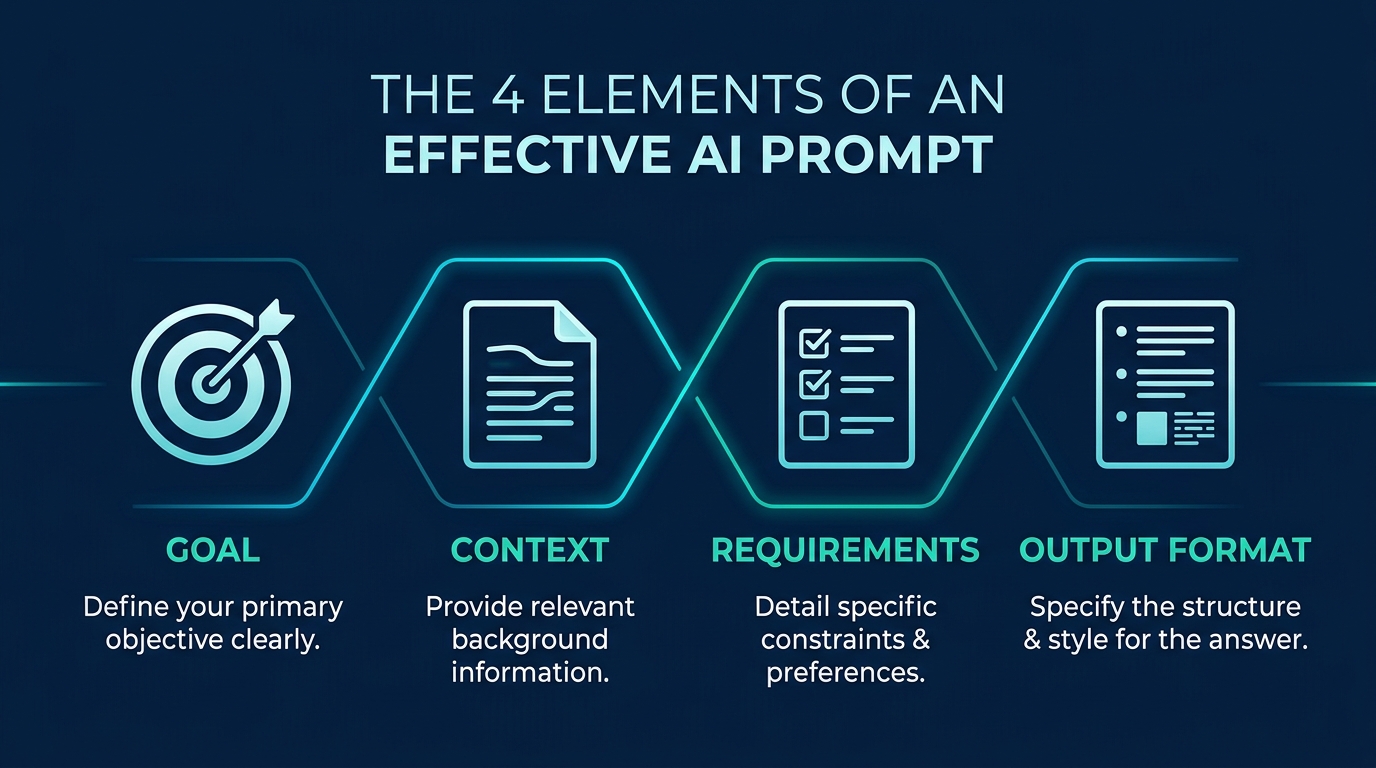
A useful prompt usually includes four elements:
-
Goal: What do you want the AI to accomplish?
-
Context: What information does it need to understand the situation?
-
Requirements: What constraints, preferences, or details must it follow?
-
Output format: Do you want a checklist, explanation, table, email, or step-by-step guide?
For example, "Help me learn programming" is broad. A more useful prompt is: "Create a two-week beginner study plan for JavaScript. I can study 45 minutes each evening. Include one practical exercise per day and a small project at the end."
You can improve the result further by asking the AI to identify assumptions, explain uncertainty, or ask questions when important information is missing.
Common Mistakes to Avoid When Using AI
AI tools are useful, but using them without care can create new problems.
Trusting every answer: AI systems can generate convincing but incorrect information. Verify important facts, calculations, citations, and technical instructions.
Sharing sensitive information: Avoid entering confidential business information, personal records, passwords, or other sensitive data unless the service and your authorization allow it.
Accepting generated code without testing: Review code for correctness, security, performance, and compatibility before deploying it.
Using AI without adding value: Publishing generic AI-generated articles or repeatedly producing similar content may not help readers. Add original research, practical examples, clear explanations, and your own editorial judgment.
Automating too much too soon: Test workflows on low-risk tasks first. Monitor their results and keep human review where errors could cause harm.
Will AI Replace Human Work?
AI can already assist with many tasks that once required substantial manual effort. But assistance is not the same as taking full responsibility for a job.
People still need to define goals, understand context, evaluate results, make difficult decisions, and take responsibility for the consequences. AI systems can also struggle with incomplete instructions, unusual situations, and tasks that demand high accuracy.
A more practical approach is to learn how AI can support your work while continuing to develop the skills needed to judge its output.
Final Thoughts
AI tools can help you write, research, code, analyze information, plan projects, automate routine tasks, and develop ideas. The best starting point is not to use AI for everything, but to choose one repetitive or time-consuming task and see whether it can make that task easier.
Start small, check the results, protect your information, and improve your process as you learn.
Used thoughtfully, artificial intelligence can become a useful assistant that helps you spend less time on repetitive work and more time on problems that require your own skills and judgment.


The conversation (0)
Different perspectives make better conversations. Keep it thoughtful.
Be the first to share a perspective.